

- A transfer between two connected accounts shows up as two separate transactions (a withdrawal from one, a deposit into another)
- Two transactions represent the same underlying event from different sides
How to match
1
Open the transaction
Go to Banking → Transactions and click on the transaction you want to match.
2
Click Match
Click the three-dot menu on the transaction row and select Match Transaction.
3
Review suggested matches
Cashflowy suggests potential matches based on similar amounts and dates. Review the candidates.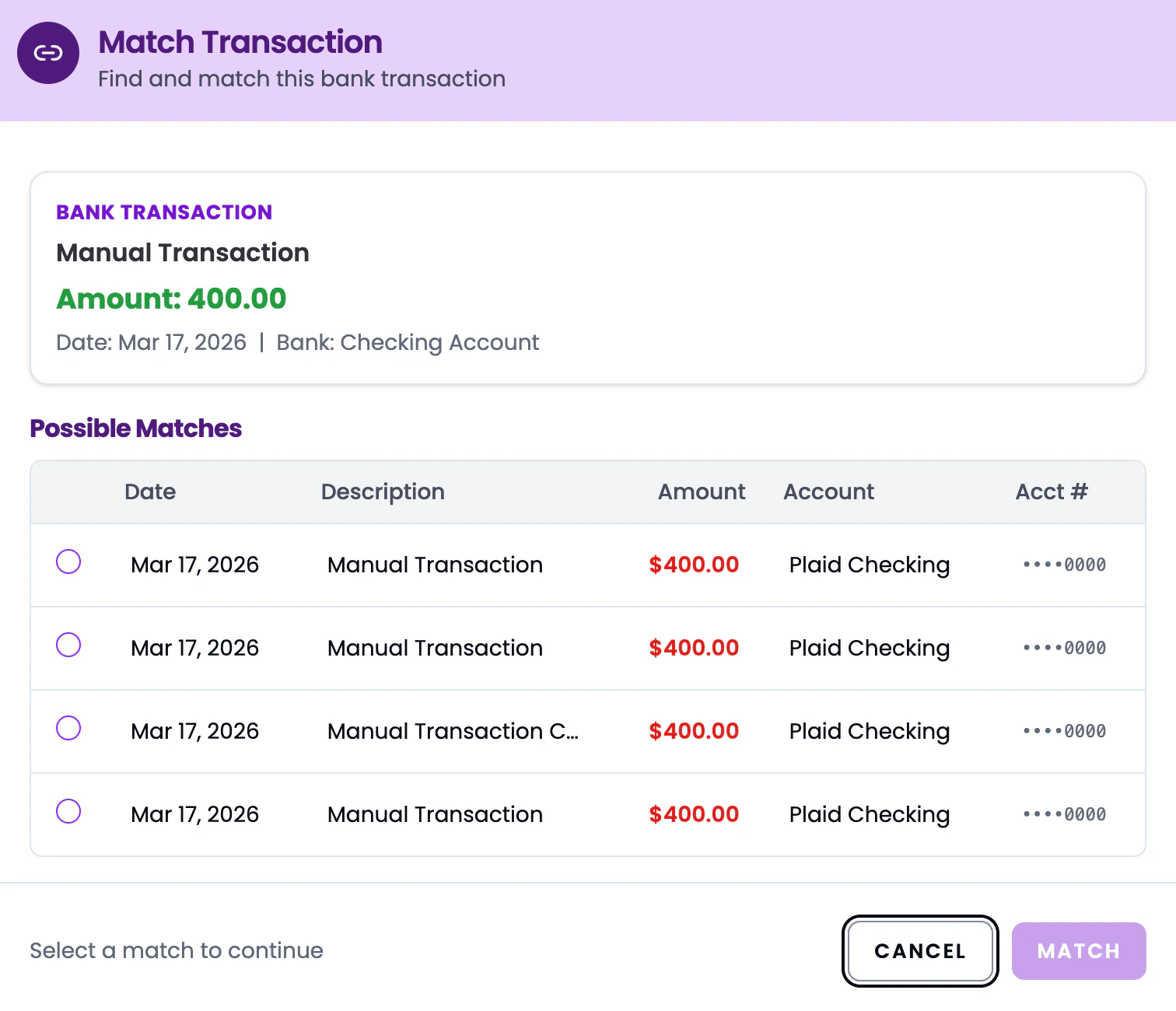
4
Select the match
Click on the correct match from the suggestions. If none of the suggestions are right, you can search for a specific transaction.
5
Confirm
Click Confirm Match. The two transactions are now linked.
Unmatching
Changed your mind? Click the three-dot menu on the matched transaction and select Unmatch Transaction to break the link. Both transactions revert to their original state.
Matching vs. categorizing: Matching links two transactions together. Categorizing assigns an expense or income type. You can do both - match a transaction pair AND have them categorized.