

When to use journal entries
- Depreciation - recording asset depreciation over time
- Accruals - recognizing revenue or expenses before cash changes hands
- Owner equity - recording owner contributions or draws
- Adjusting entries - month-end or year-end corrections
- Inter-account transfers - moving money between accounts in your chart of accounts
For most day-to-day transactions, you won’t need journal entries. They’re primarily for accounting adjustments. If you’re not sure, book a call with a bookkeeper.
How to create a Journal Entry
From a transaction:- Go to Banking → Transactions
- Click the + Add Transaction button at the top right

- Select Add Journal Entry from the dropdown

- Enter the Transaction Date and Journal Description (required, up to 255 characters)
- For each line, select a Bank Account or Category, then enter either a Debit or Credit amount
- Click + Add Line to add more rows as needed
- Confirm Total Debits equals Total Credits - the Save button stays disabled until balanced
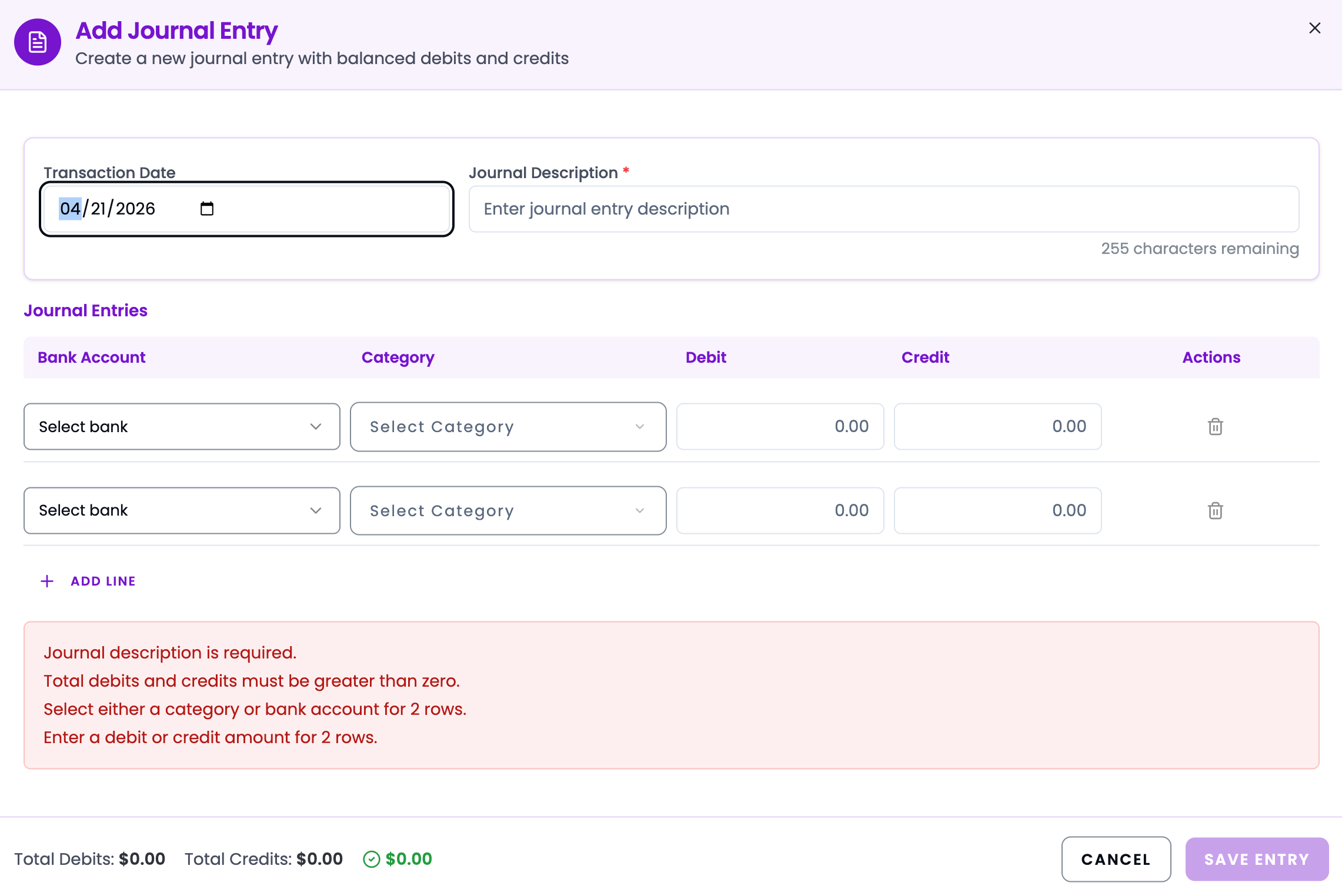
- Click Save Entry
Example entries
Owner invests $10,000 into the business
Owner invests $10,000 into the business
Record $200 monthly depreciation
Record $200 monthly depreciation
Accrue $1,500 revenue not yet invoiced
Accrue $1,500 revenue not yet invoiced