
Bookkeeping and accounting software
Most Practical Self-Employed Accounting Software, Bookkeeping and Finance Tools

CEO · Jul 28, 2026
Heidi DeCoux is the founder of Cashflowy, an AI-powered bookkeeping platform, and has worked with thousands of self-employed professionals to simplify finances and improve profitability.

Self-employed accounting software can mean several different types of products for managing the backstage of your finances. There are platforms for categorizing expenses and reconciling bank accounts. Others handle payroll, inventory and advanced analytics. And then there are those you'd use to send invoices, track mileage or file a tax return.
Solopreneur income rarely arrives on a predictable schedule. Plus, you’re responsible for keeping records current, setting money aside for taxes and deciding what the business can safely afford without a finance team helping you. The right setup should reduce that work and give you a clear view of the business between tax deadlines.
We compiled this in-depth guide to help you see what kind of tool you need at your business stage.
The self-employed finance stack: which category do you need?
Let's break it down to make sure you're not paying for what you won't use.
| Your main need | Start with | Tool options | Core system or add-on? | When you may need it |
|---|---|---|---|---|
| Categorize transactions, match bank feeds and keep your books current | Bookkeeping software | Cashflowy (software + expert help), Wave, Kick, Bench | Core system | Most one-person focused service businesses should start here |
| Manage reporting, inventory, payroll integrations, international operations | Accounting software | QuickBooks, Xero, FreshBooks, Zoho Books | Core system | When your business has more operational complexity |
| Send professional invoices and accept payments | Invoicing and client workflow | Cashflowy, Square Invoices, HoneyBook | Usually an add-on | When billing and client administration take most of your time |
| Capture receipts, track expenses or log business mileage | Expense and mileage tracking | Expensify, Shoeboxed, Everlance | Add-on | When the mobile tools in your core platform aren’t sufficient |
| Prepare and file your tax return | Tax software and services | Keeper, FlyFin, TurboTax | Add-on | Once your books are current and ready for tax season |
| Build detailed forecasts and management reports | Forecasting and analysis | Fathom, Float | Add-on | When standard financial reports don’t answer your planning questions |
The worst you can do is have your expenses scattered across spreadsheets. Choose one bookkeeping or accounting platform as the source of truth for your financial information. Add a specialist product only when the need comes up.
Bookkeeping vs accounting: what’s the difference?
Bookkeeping records and organizes what already happened.
That includes:
- Importing transactions from your bank accounts
- Categorizing an Uber ride as a business expense
- Matching bank transfers between accounts
- Reconciling your bank feed
- Tracking expenses and attaching receipts
- Recording income from multiple clients
- Tracking invoices and what clients still owe
- Producing a profit and loss statement, balance sheet and general ledger
Core accounting features use those records to make calculations, apply accounting rules and provide professional guidance. This may include preparing Schedule C, calculating quarterly estimated tax payments, advising on an S-corp election or deciding how to handle an unusual transaction.
See also: Bookkeeping vs accounting deep dive
You'll find many products sold as accounting software mainly automate bookkeeping work, or accounting platforms that don’t necessarily file taxes or provide advice from a qualified tax professional. And then some that do it all. Our list below simplifies it by grouping the problems each tool solves.
Your self-employed business may only need dependable bookkeeping software and a tax professional at tax time. A growing business with employees, inventory or international transactions should opt for more complex accounting infrastructure.
How we selected the tools for your self-employed business
Here's what we considered:
- Bank connections, expense tracking and reconciliation tools
- Receipt capture and transaction categorization
- Invoicing, online payments and client management
- Standard financial reports and export options
- Human bookkeeping or accounting support
- Tax preparation and filing capabilities
- Mobile apps and ease of use
- Plan limits, including users, invoices, clients and transactions
- The main trade-off self-employed users should know before buying
Some of the products below could fit into more than one category. We sorted them to reflect their primary roles for making the life of a self-employed professional easier.
Some tools primarily maintain accurate records. Others add forecasting, financial coaching or management reporting that helps you interpret those records. Decide whether you only need current books or also need help understanding what they mean for upcoming decisions.
You'll notice AI and automation appear throughout the tools below, from transaction categorization and receipt extraction to anomaly detection and forecasting. Their outputs still need human review and depend on accurate underlying records. Tax treatment and major financial decisions especially require professional judgment.
See also: AI vs human bookkeeper and which one you need
Bookkeeping software for self-employed people
Tools that automate bookkeeping for solopreneurs keep the daily financial record sorted. It should import transactions, categorize income and expenses, reconcile accounts and produce reports that a tax professional can use.
Cashflowy: best for automated bookkeeping with unlimited human support
Cashflowy is an AI-powered bookkeeping and financial coaching platform for U.S.-based solopreneurs. It combines automated software with unlimited access to trained human bookkeepers for one price.
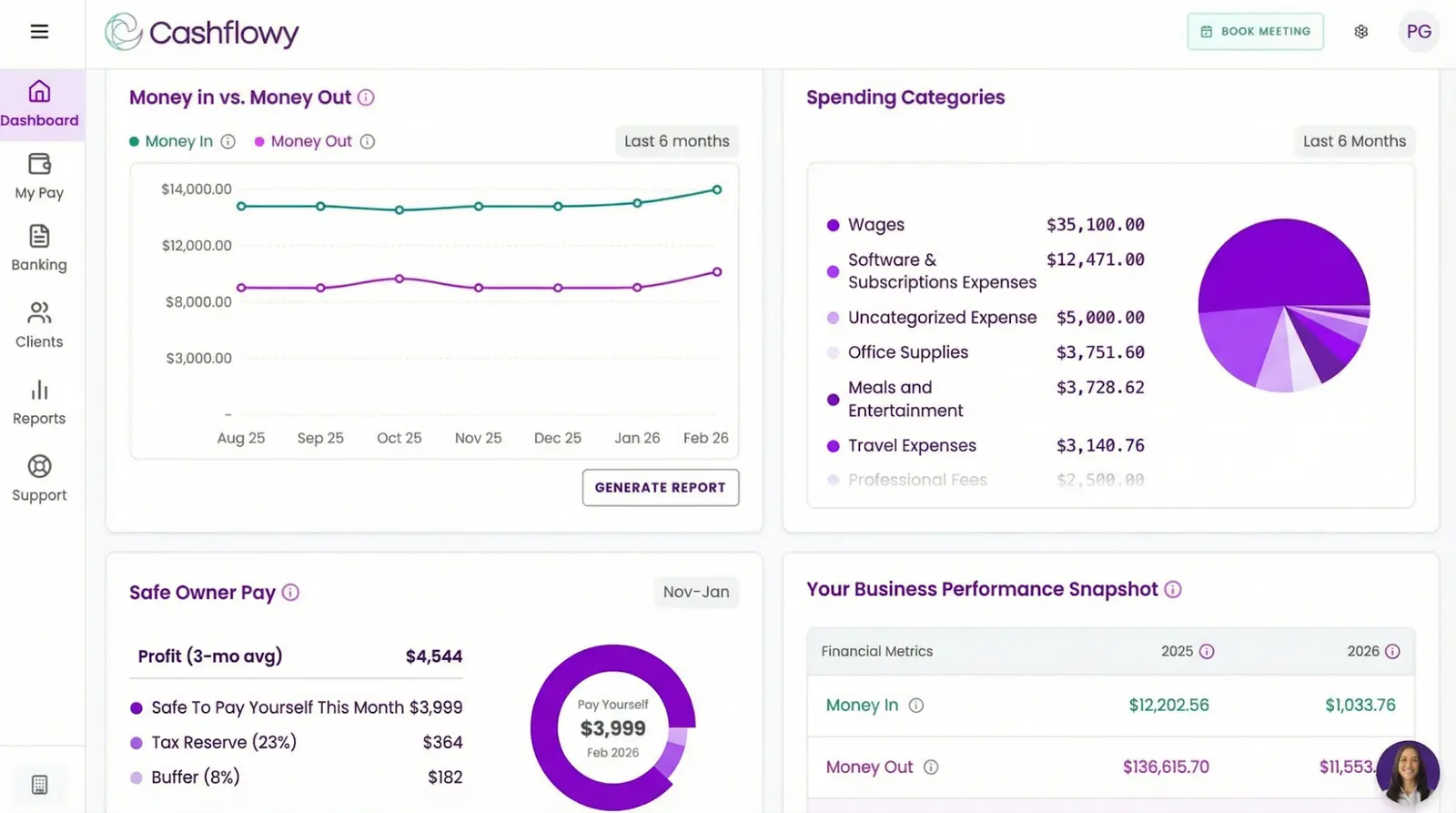
Take 6 minutes out of your day to set up your account—connect your banks through Plaid, and Cashflowy will automatically import, categorize and reconcile your business transactions. It works with over 12,000 financial institutions, including PayPal, Wise and Gusto. The dashboard shows you a clear overview of income, expenses, profit and cash flow statements so you can see where your business stands without waiting for a monthly report.
Whenever you have questions about your numbers, you can ask Cashflowy, who knows your data. You can ask what you spent on software, which clients still owe you or how much you may be able to pay yourself this month and get specific answers based on your numbers.
If you need to talk to an actual person, live chat and unlimited private calls with human bookkeepers are included in the base price. Get help with anything from correct or custom categorization to any account questions you have.
Cashflowy also provides full financial reports for tax filing and professional review. You can invite unlimited users, including your tax professional, partner, spouse or assistant, without paying for additional seats.
You can also create branded invoices and accept card or ACH payments through Stripe Connect. Other key features include a 90-day cash flow forecast, a safe owner’s pay calculation and an estimated tax set-aside, estimated based on the information and allocation settings in the platform. Cashflowy doesn’t calculate your legal tax liability or file returns. You'll need to talk to your tax professional about your specific business and personal tax situation.
“Cashflowy was very easy to set up, very easy to use, and it was simple to schedule a call and actually talk to someone. The tool feels truly designed for someone like me… a small business owner. As tax season approaches, I feel much more confident. I’m in a stronger position to track where my money is going and to set clear financial goals moving forward.”Todd Threats, brand strategist
Main trade-off: Cashflowy is for U.S. one-person service businesses. It doesn’t provide payroll, inventory management, sales tax automation or time tracking. Businesses with W-2 employees, physical inventory or consolidated entity reporting will need a more complex platform.
Price: One price that covers all features and unlimited support—$39/month or $390/year + 7-day free trial.
Bench: best for businesses that want their monthly books prepared for them
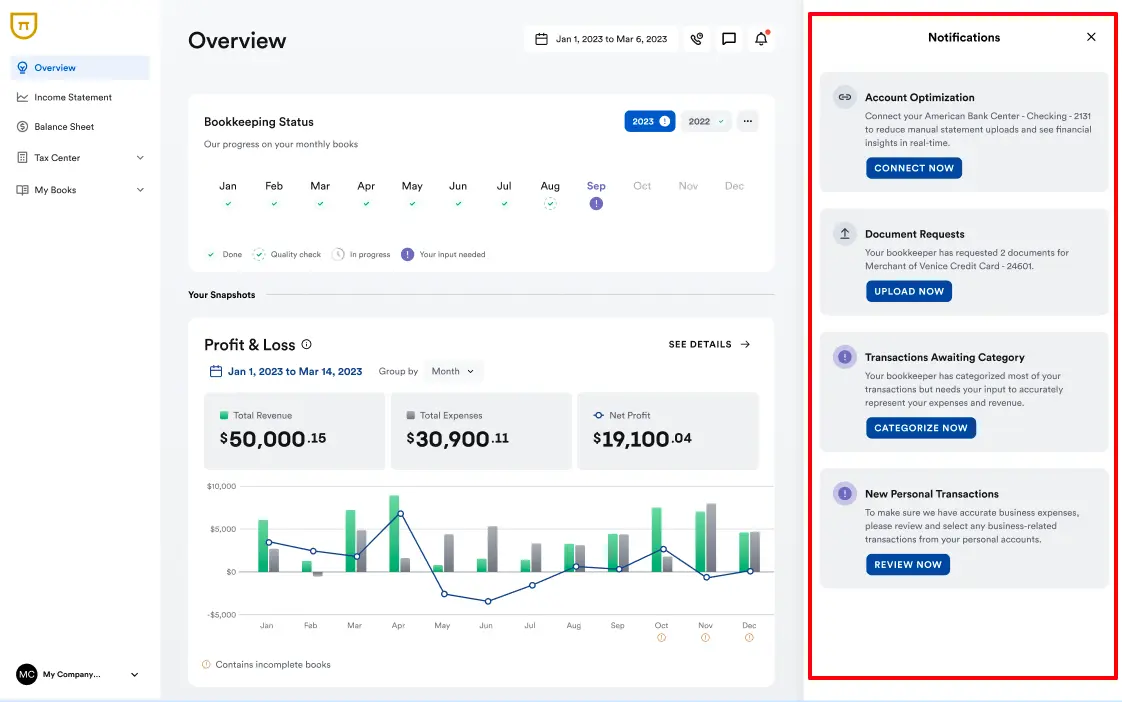
Bench combines bookkeeping software with a dedicated bookkeeping team. It categorizes transactions, reconciles accounts and provides monthly income statements, balance sheets and expense reports. Catch-up bookkeeping is a helpful feature if you're behind on months or years. The higher package also gives you access to tax filing and advisory services.
Source: AICentralResources
Main trade-off: Bench is a much bigger investment. The monthly workflow gives you less immediate control than continuously updated bookkeeping. Tax filing is part of a costly package, so check the complete annual bookkeeping cost before committing.
Price: From $199/month or $1,910/year
Wave: best for basic invoicing and self-managed bookkeeping
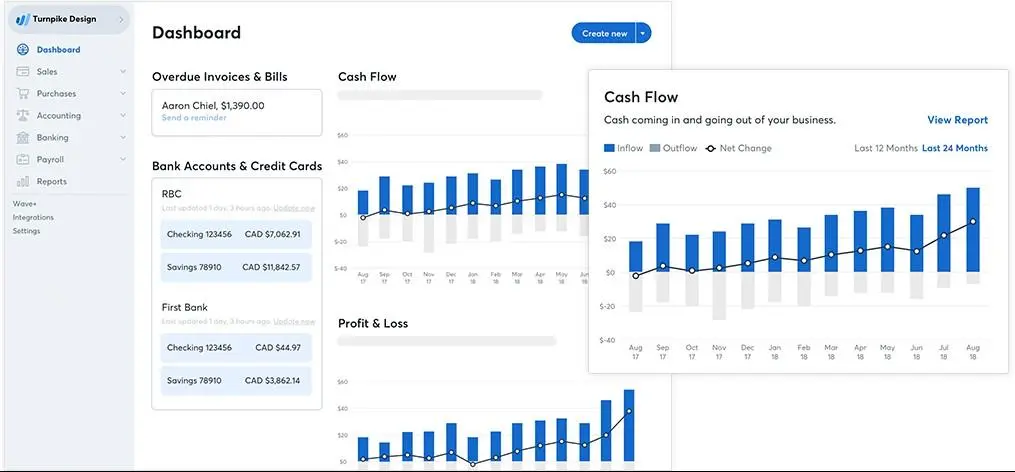
Wave offers free bookkeeping software that lets you create unlimited invoices, estimates, bills and bookkeeping records. You can also accept online payments for a transaction fee and send invoices through the mobile app.
It's useful for someone at the very beginning of their self-employment journey who needs simple accounting software. The free plan records income and expenses, produces basic financial reports and helps you bill clients.
The paid plan adds automatic bank transaction imports, categorization, bank connections, receipt capture and invoice reminders.
See also: Wave vs Xero side-by-side comparison
Source: Software Advice
Main trade-off: The free plan requires some manual work; automated bank feeds and time-saving features are locked behind the paid plan. Reporting, forecasting and human guidance are limited. Choose Wave when keeping costs low matters more than continuous automation and support.
Price: From $19/month or $190/year.
See also: Wave alternatives for business owners
Kick: best for configurable transaction automation
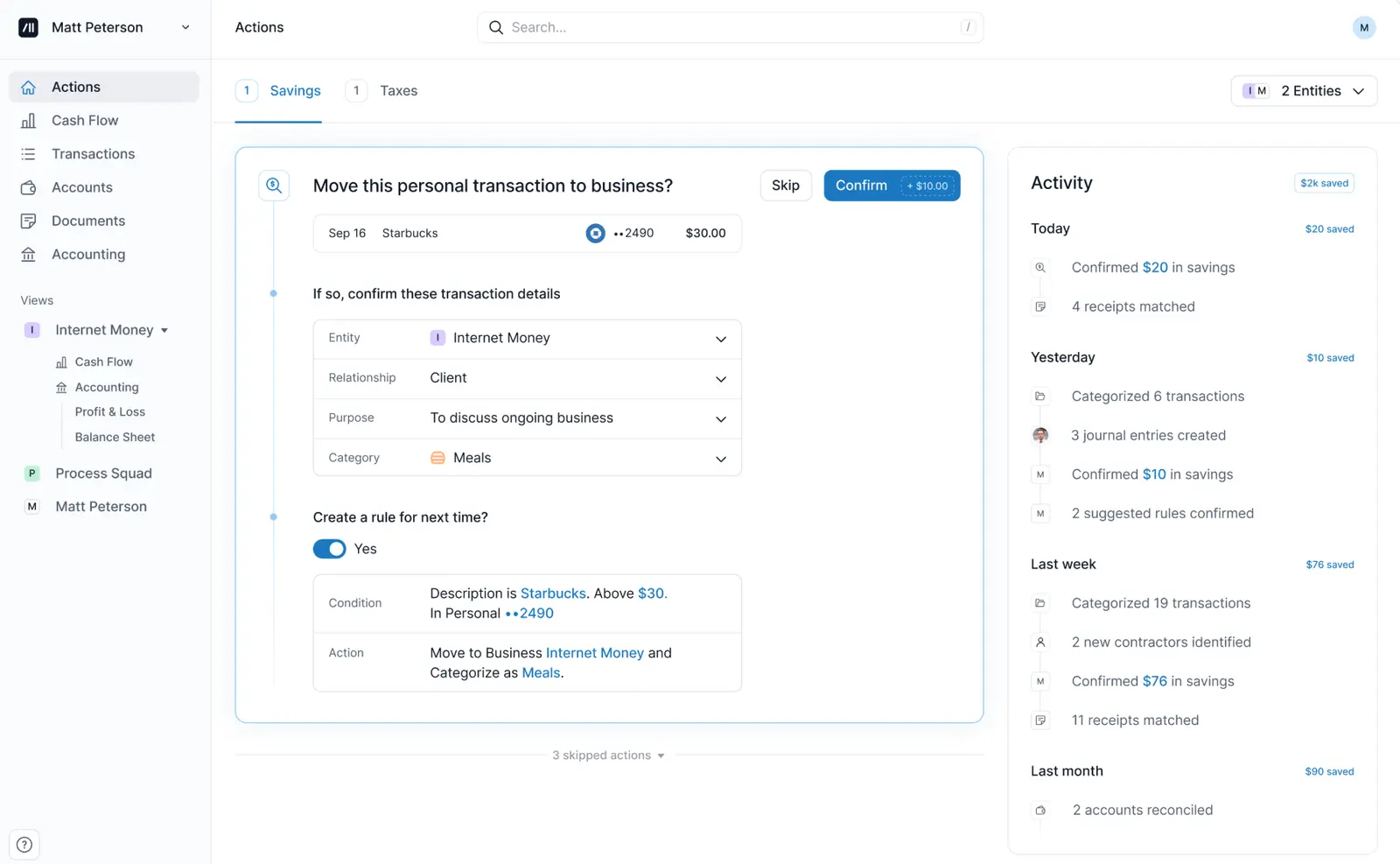
Kick can categorize business transactions, identify counterparties, match transfers and let you upload receipts. It includes a free plan that covers up to 250 transactions per tax year.
Paid plans remove the transaction limit and add reconciliation, statement synchronization and more automation. Kick gives you a profit and loss statement, balance sheet, trial balance, general ledger and year-end tax. It supports custom categories, transaction splits and recurring rules.
Higher plans add capabilities for accrual accounting and multiple entities. Integrations include Plaid, Stripe, PayPal, Mercury and Gusto.
Source: Medium
Main trade-off: The free plan’s 250-transaction limit is restrictive for an active business. Several features for multiple entities and accrual accounting require a higher paid plan. Human support varies by plan, and dedicated help is only available on the highest payment tier.
Price: From $40/month
See also: Kick alternatives for the self-employed
Best accounting software for self-employed professionals
Full accounting platforms for freelancers and solopreneurs extend core bookkeeping features with capabilities for teams, inventory, payroll connections, international transactions or more detailed reporting.
Paying for all the features in these systems can make sense as a business becomes more complex. A one-person service provider may find the additional setup, cost and capabilities unnecessary.
QuickBooks Online: best for businesses adding complexity
QuickBooks has two cloud products relevant for self-employed professionals.
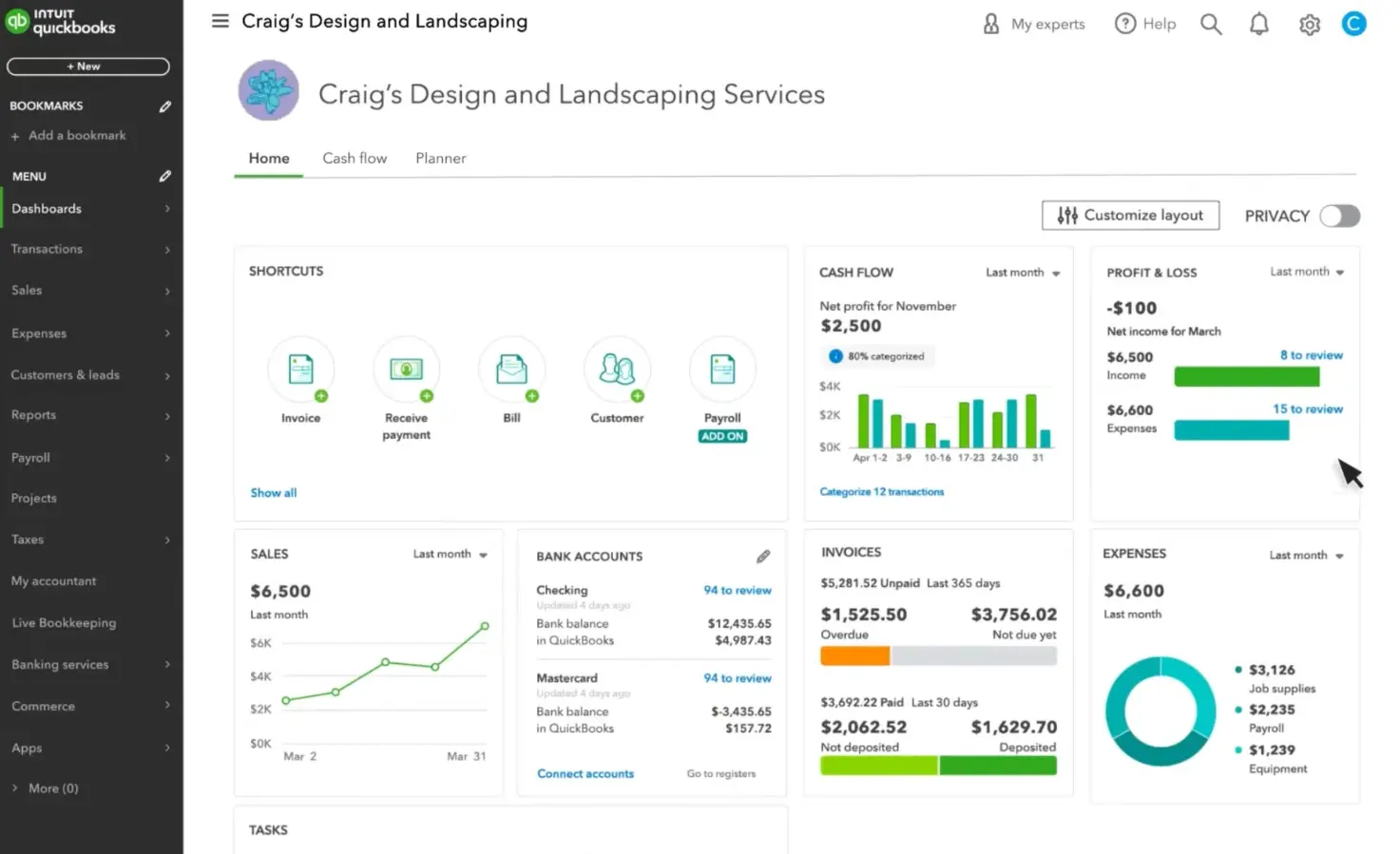
QuickBooks Solopreneur is the lighter one. It organizes income and expenses, captures receipts, tracks mileage, lets you send invoices and keeps records ready for Schedule C. The mobile app tracks mileage with GPS, captures receipts and categorizes trips.
The second option is QuickBooks Online, a broader accounting platform. Depending on the plan, it can handle bills, contractors, estimates, recurring transactions, customizable invoicing, inventory and project profitability. Payroll, time tracking and certified expert help can be added separately.
See also: QuickBooks vs Wave comparison
Source: The CFO Hub
Main trade-off: QuickBooks Online requires more setup and accounting knowledge than many self-employed individuals need. The user interface includes tools intended for larger small businesses, and human bookkeeping is sold as a separate service. Solopreneur is simpler, but it doesn’t include all the accounting features or growth paths available in QuickBooks Online.
Price: Solopreneur is free for up to two monthly invoices, then from $10/month. Online prices start from $19/month.
See also: QuickBooks alternatives for solopreneurs
Xero: best for collaboration, integrations and international work
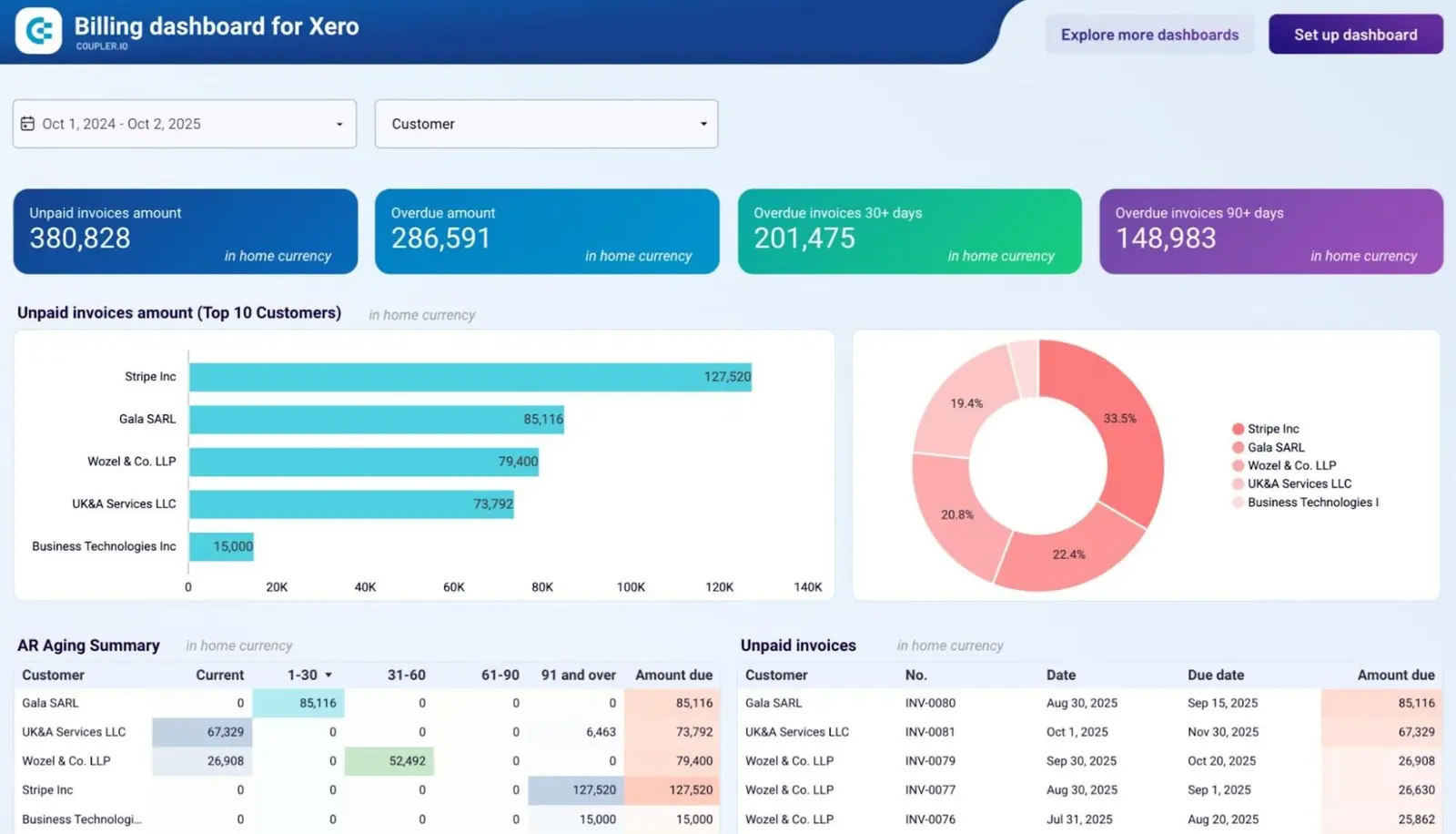
The Xero self-employed accounting platform combines bank reconciliation, bills, invoices, reports, inventory tracking and contact management for unlimited users. The platform has an extensive library of app connections, including payroll, payments and invoicing tools. Higher plans give you access to multi-currency accounting, expense claims and more advanced analytics.
See also: Xero vs FreshBooks comparison
Source: Coupler.io
Main trade-off: Xero needs more configuration than a straightforward self-employed service business may need. Some of its most useful integrations and reporting features are locked behind higher plans. You may still need a separate service for tax filing or bookkeeping help. Employee expense, mileage and time tracking are paid add-ons.
Price: From $29/month and an 80% discount for the first three months. There is also a Lite version for $7 (highly restricted).
See also: Xero alternatives for small business owners
FreshBooks: best for invoicing and time-based client work
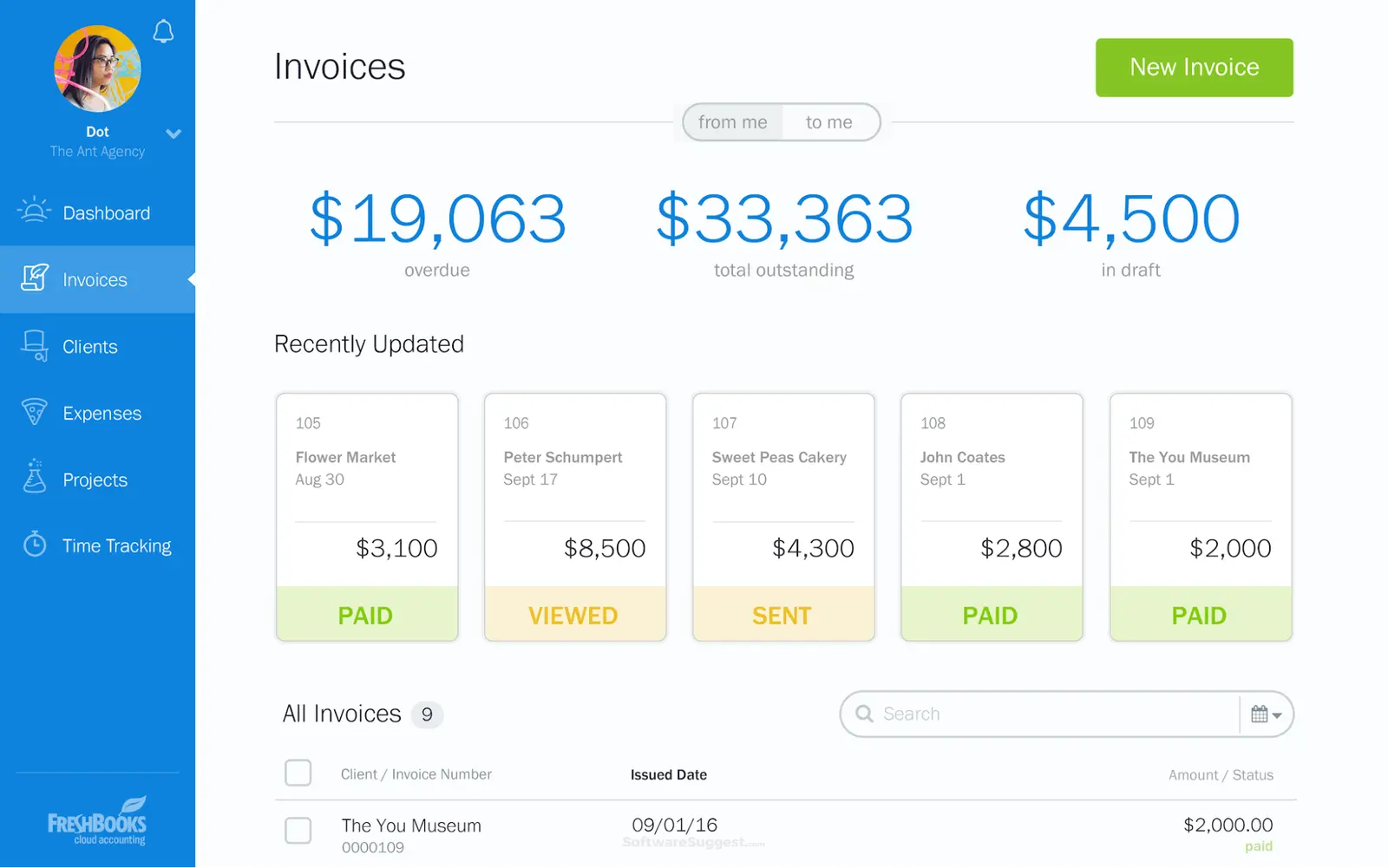
FreshBooks started as invoicing software and steadily grew into a more complex accounting platform. Its strongest use case is client work that depends on time tracking, projects and professional invoices, e.g., when you need a tool for therapists or other services.
You can track time spent on a service or project, turn the recorded hours into an invoice, accept payments and monitor outstanding client balances. FreshBooks also supports expense tracking, receipt capture, bank connections and bank reconciliation.
This workflow works well for consultants, designers and other self-employed people who need to track time and bill multiple clients.
See also: FreshBooks vs QuickBooks review
Source: SoftwareSuggest
Main trade-off: Lower FreshBooks plans restrict the number of billable clients; more advanced accounting capabilities raise the total cost. The invoicing experience is solid, but businesses that don’t charge by project or by the hour may end up paying for client management features they rarely use.
Price: From $23/month or $276/year with 90% off for the first six months.
See also: FreshBooks alternatives for small businesses
Zoho Books: best for inventory, project tracking and custom accounting workflows
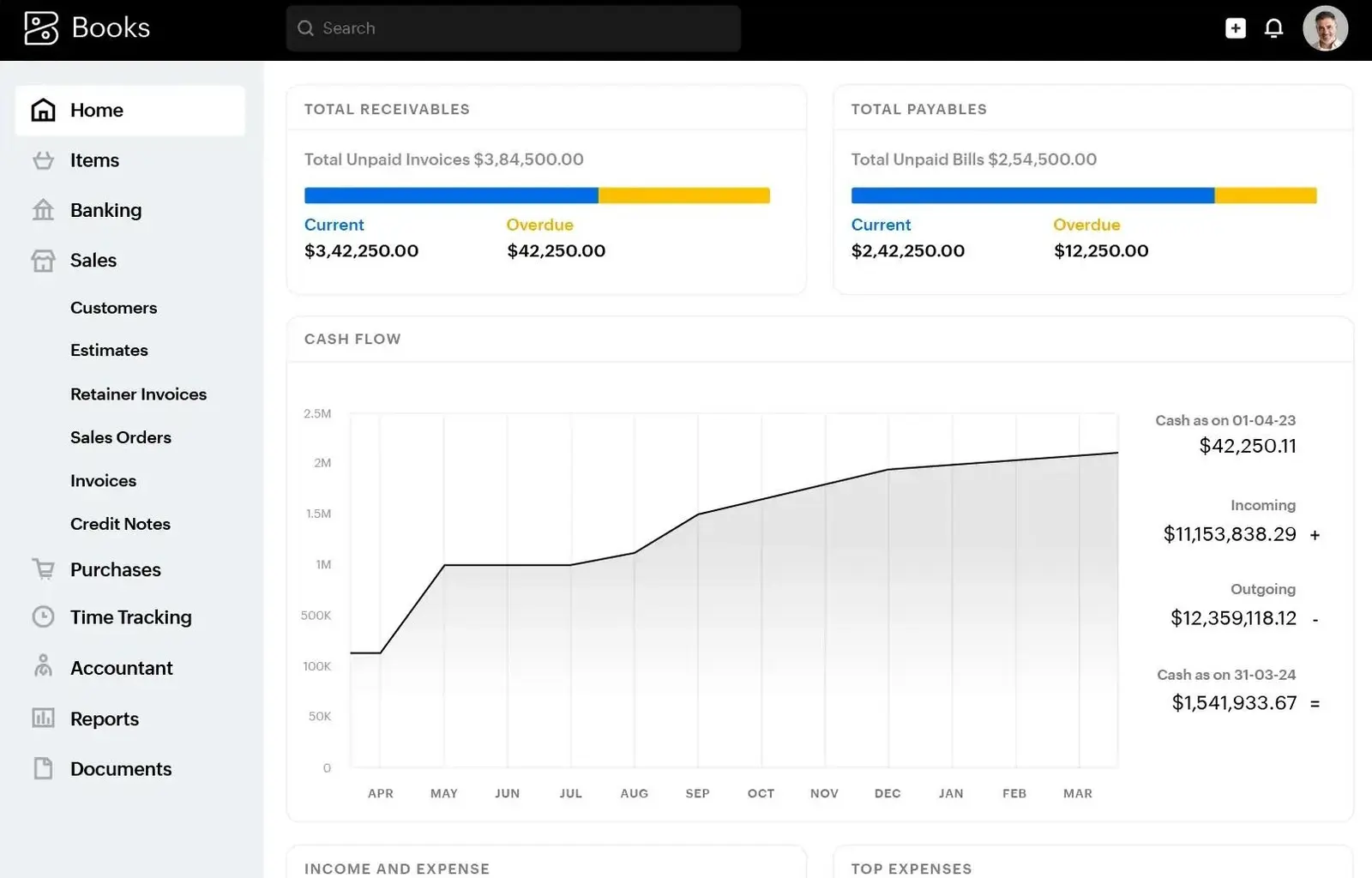
Zoho Books is for invoicing, expense tracking, bank reconciliation, projects, inventory and financial reports. It's part of the wider Zoho ecosystem, including Zoho CRM, Zoho Expense and Zoho Inventory (each paid separately). Built-in AI can answer your accounting questions in plain English and spot anomalies.
Its automation tools can create recurring invoices, send payment reminders and trigger workflows based on specific conditions.
Source: Zoho
Main trade-off: The number of modules, settings and plan-dependent features can make the user interface feel heavy for a one-person service business. The free plan has invoice limits, and several useful automation and inventory features require paying for higher plans.
Price: Free for one user and up to 1,000 yearly invoices, then from $20/month or $180/year.
Invoicing and client payment tools for growing businesses
If your main bottleneck is actually getting paid, invoicing software can help. These tools manage estimates, contracts, invoices and online payments; just note that they usually don’t maintain a complete set of books for you.
Square Invoices: best for straightforward billing and payment collection
Square Invoices lets you send unlimited invoices, estimates and contracts. You can request deposits from clients, schedule recurring invoices and send automated reminders for upcoming or overdue payments.
Your clients can pay online, and the payment is recorded in the Square dashboard. Paid plans add more customization, workflow controls, templates and batch invoicing.
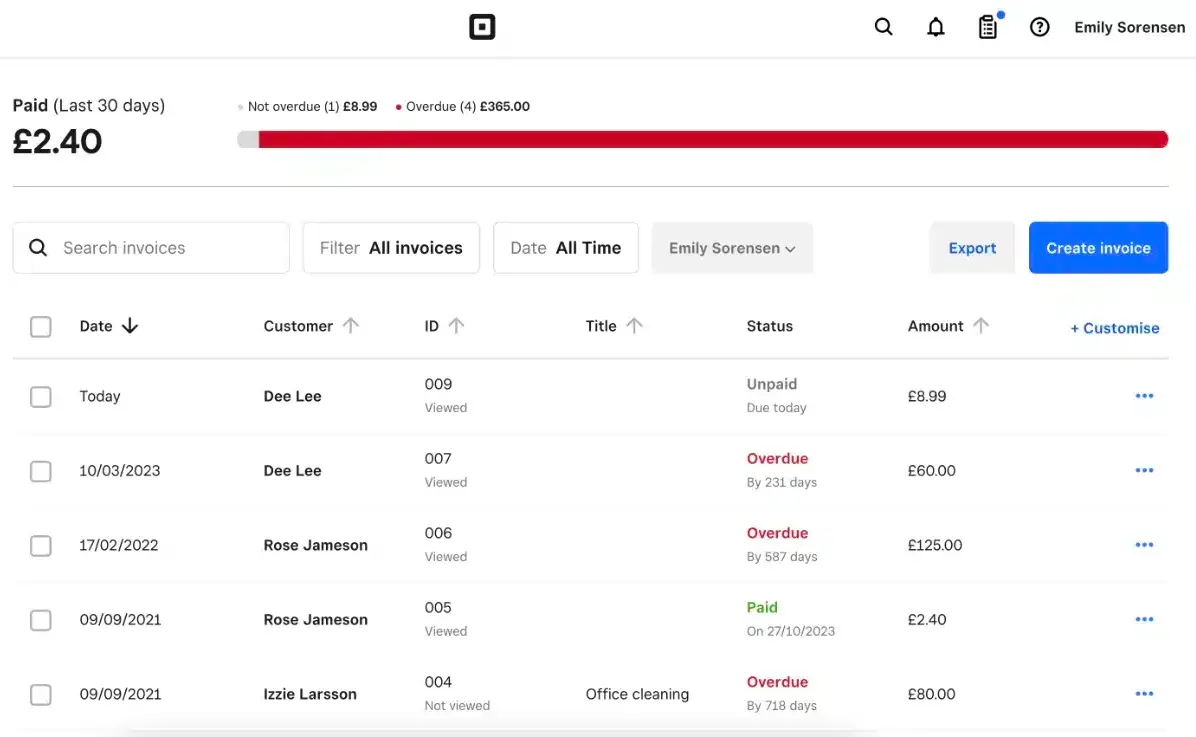
Source: Mobile Transaction
Main trade-off: Square’s entry-level invoicing features are relatively basic. Custom invoice templates, milestone payment schedules and multi-package estimates require a higher plan. Processing fees also apply whenever a client pays by card or ACH, which can become expensive for businesses collecting larger invoice amounts. Continuous support is included in the highest tier.
Price: Free option available (with processing fees you have to cover), then from $49/month (plus reduced processing fees).
HoneyBook: best for managing the client journey from inquiry to payment
HoneyBook combines features for lead capture, proposals, contracts, scheduling, invoices and payments. A coach, consultant, photographer or designer can move a client from the first inquiry to a signed agreement and paid invoice without switching between several client-management apps.
Plans include unlimited clients and projects. Higher tiers add a scheduler, workflow automation, SMS reminders and a QuickBooks Online integration.
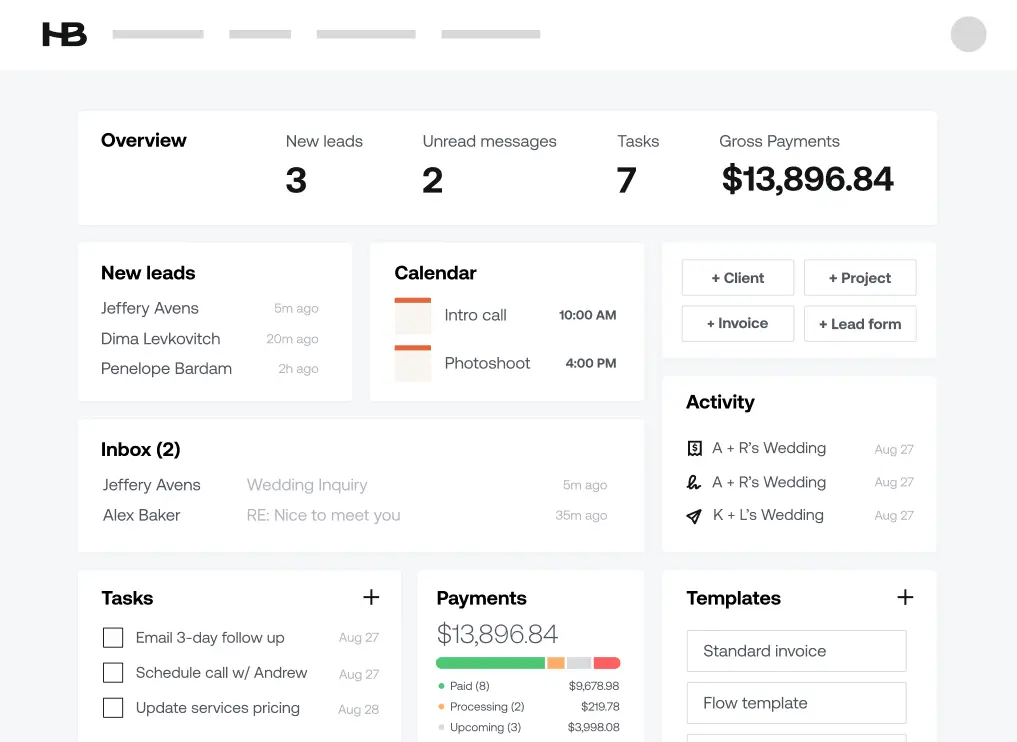
Source: Candice Coppola
Main trade-off: The Starter plan doesn’t include workflow automation, scheduling or QuickBooks Online integration. These require the Essentials plan or above. HoneyBook also charges payment processing fees starting at 2.7% plus 10¢ for cards and 1.5% for bank transfers. The whole client management suite expense may be difficult to justify if you only need straightforward invoicing.
Price: From $36/month and 18% yearly payment savings, plus processing fees.
Receipt, expense and mileage tools
Specialist expense tools help you save time when you travel frequently, collect paper receipts or manage reimbursements. These connect to accounting software instead of replacing it.
Expensify: best for receipt capture and expense workflows
Expensify is useful for scanning and uploading receipts, tracking mileage, categorizing expenses and creating expense reports. SmartScan extracts information from paper or digital receipts. Integrations can export approved expenses into QuickBooks, Xero and other accounting platforms.
Expensify can also handle reimbursements, cards and approval workflows. AI tools can analyze your spend and answer questions.
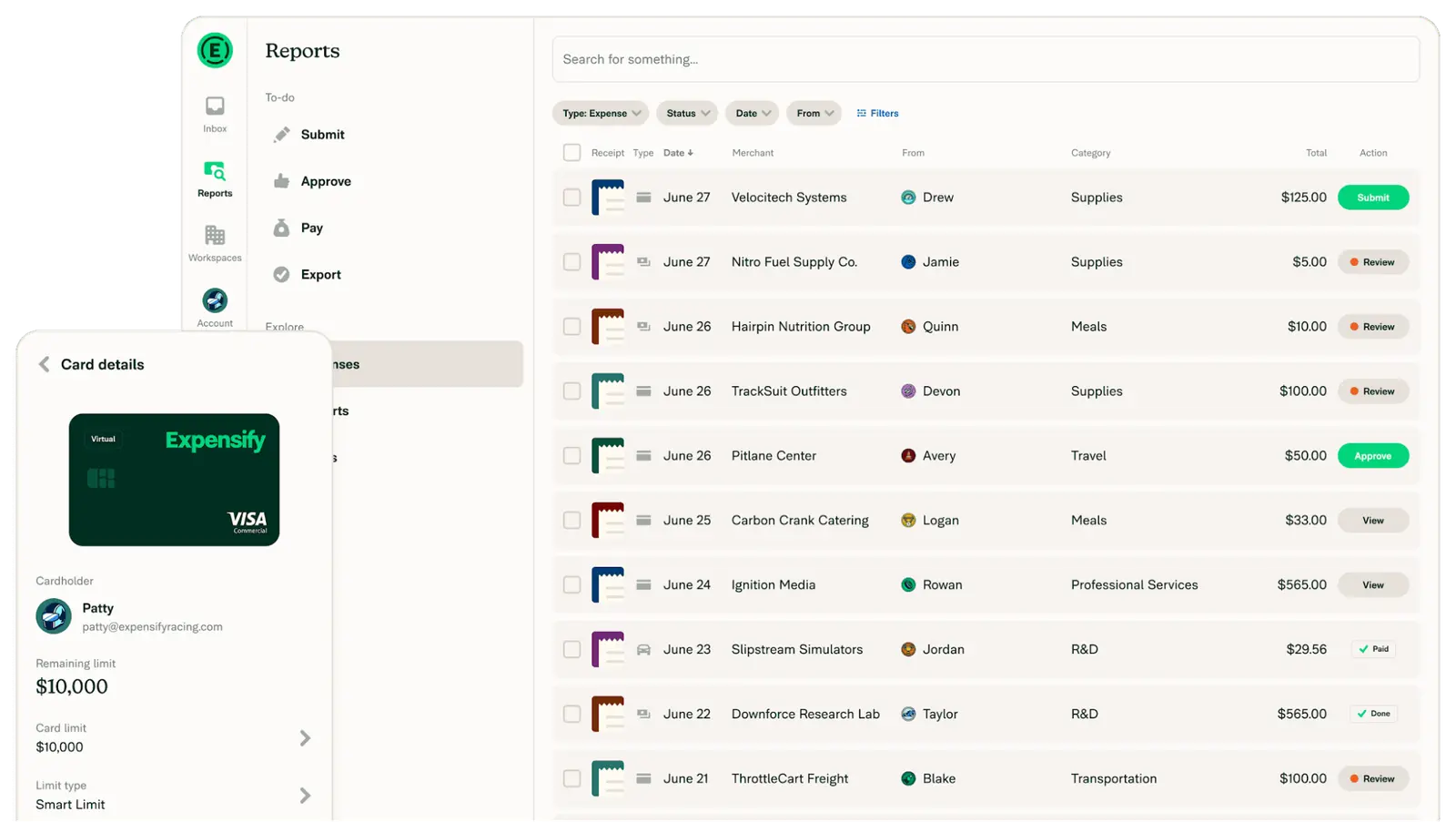
Source: Expensify
Main trade-off: The free personal account covers receipt scanning, mileage and basic exports, but custom categories, tags, accounting integrations and team workflows require an Expensify workspace. CSV exports are only available through the web app, which may be inconvenient if you manage expenses primarily from your phone.
Price: No billing information is publicly available.
Shoeboxed: best for a backlog of paper receipts
The main capability of Shoeboxed is receipt capture on the mobile app. Its unique feature is the Magic Envelope: you mail physical receipts to Shoeboxed and its team scans, verifies and uploads them for you.
You can organize your digital archive by vendor, category and date. Higher plans connect it with QuickBooks or Xero. This is useful for self-employed professionals who still receive many physical receipts or have a box of old paperwork to process.
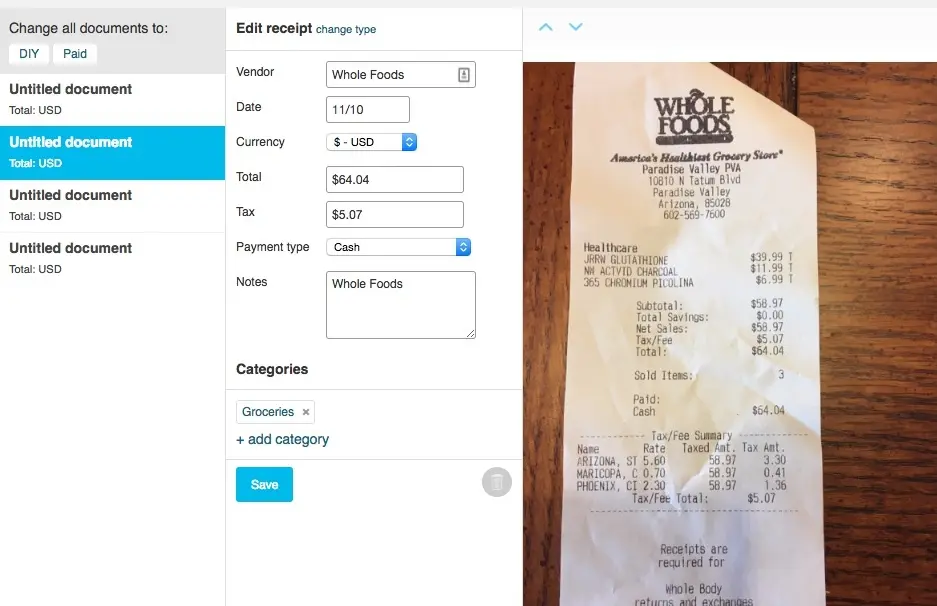
Source: PCMag
Main trade-off: Every plan limits the number of paper and digital receipts you can process. Starter includes only 30 digital scans monthly, 20 paper scans per year and one Magic Envelope per year. Additional scans and envelopes cost extra; QuickBooks and Xero integrations require Pro or Plus.
Price: From $9/month and up to $179/month if you're handling a lot of paper receipts monthly.
Everlance: best for automatic business mileage tracking
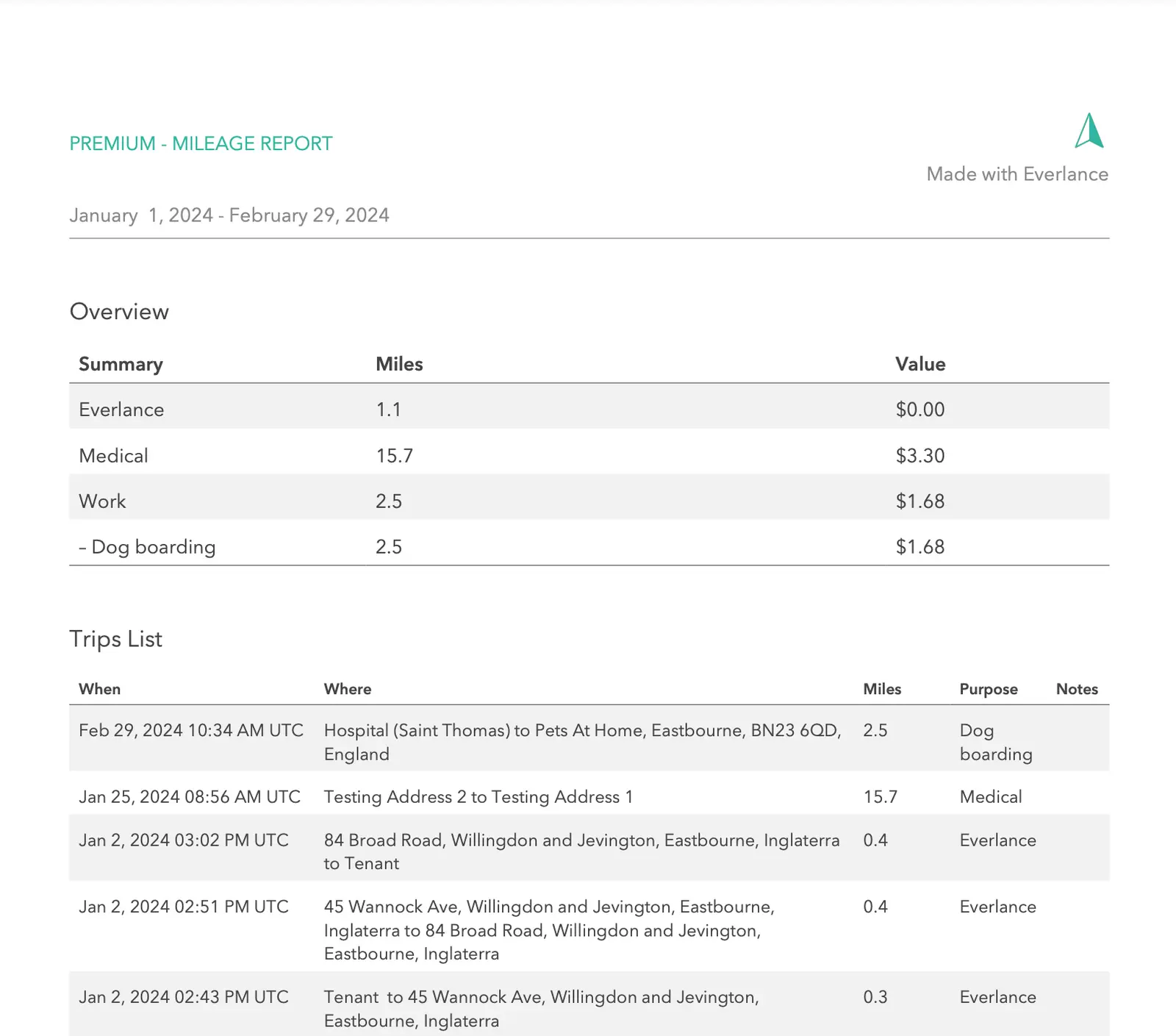
Everlance uses your phone’s GPS to track mileage automatically. You can classify the logged trips as personal or business, connect a bank or credit card, categorize expenses and attach photos of receipts.
The app gives you mileage and expense reports for tax purposes. This is a helpful tool for real estate agents, photographers, consultants and other self-employed professionals who regularly drive to client meetings, appointments or job sites.
Source: Everlance Help Center
Main trade-off: The free plan handles only 30 monthly trips automatically. If you drive a lot, you'll need to start and stop additional trips manually or upgrade for unlimited automatic tracking. You’ll also need to review each detected trip and classify it correctly, especially if you use the same vehicle for business and personal driving.
Note that tracking a journey doesn’t automatically make it deductible. Ask your tax professional how the rules apply to your situation.
Price: From $10.99/month or $89.99/year.
Tax software and services for self-employed people
Bookkeeping creates the records you'll need at tax time. Tax software or a tax professional uses those records to prepare and file the return.
Some self-employed individuals may need to make estimated tax payments during the year. The IRS uses Form 1040-ES to calculate those payments based on expected income, deductions, credits and taxes.
Note: This section is general educational information, not tax advice. Discuss your specific situation with your tax professional.
Keeper: best for deduction tracking and self-employed tax filing
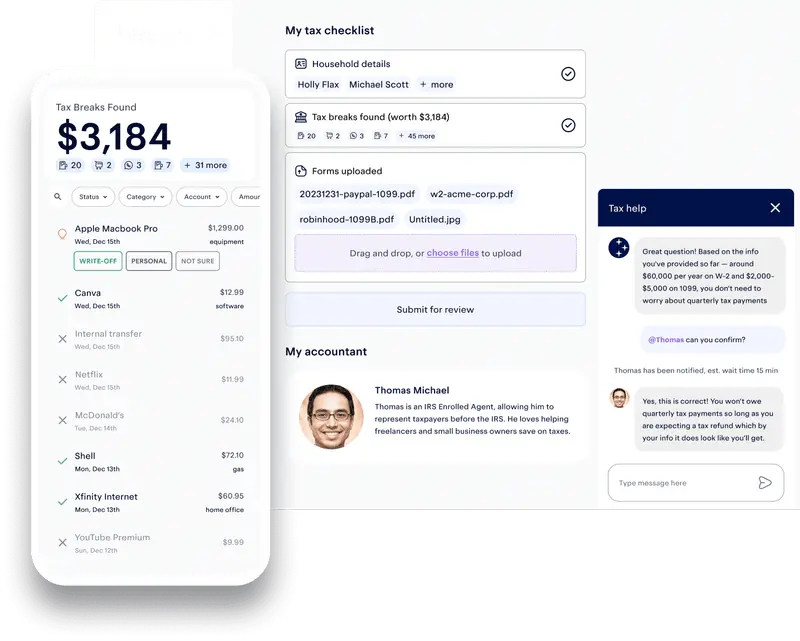
Keeper is best for freelancers, contractors and other self-employed users who want help preparing Schedule C. It handles transaction review, identification of potential deductions and annual tax filing. Covered scenarios include 1099 contractors, W-2 employees, parents, students and homeowners among others.
The platform connects to financial accounts, flags expenses that may relate to the business and lets you confirm their purpose. A tax professional reviews and signs the return under Keeper’s filing service.
Source: Capterra
Main trade-off: Keeper’s (already quite pricey) Standard plan supports relatively straightforward individual and sole-proprietor returns and limits users to ten connected financial accounts. A dedicated accountant, quarterly tax support and more complex situations such as K-1s, rental properties or foreign income require Premium.
Price: Standard $199 and Premium $399.
FlyFin: best for combining automated tax tools with CPA filing
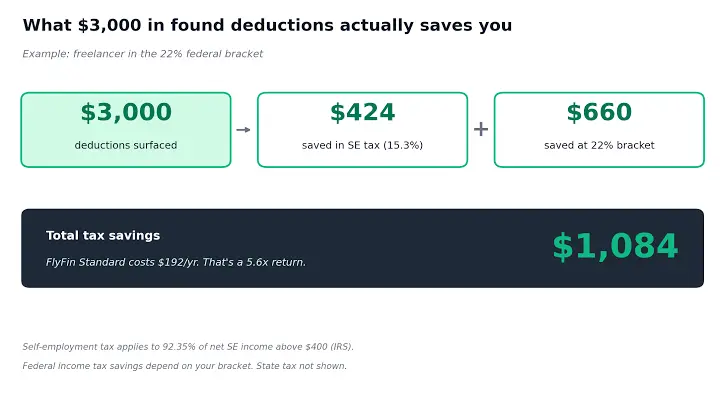
FlyFin connects to accounts and scans transactions for business deduction opportunities. It combines automated expense review with a CPA who prepares and files the return.
This can work for self-employed people who want professional filing support. FlyFin works for common freelancer and contractor tax situations, including sole proprietors and some incorporated businesses.
Source: Freelancer Profit
Main trade-off: FlyFin doesn’t publish its price. You have to enter the app to see what the CPA service will cost you, making it difficult to compare before signing up. Its automated categories need review, and FlyFin warns that exported tax summaries may require some expenses to be recategorized before they’re shared with another CPA.
Price: N/A, but you can test it with a 7-day free trial.
TurboTax: best for guided self-filing with optional expert help
TurboTax helps you with self-employment income and Schedule C via a DIY workflow, with assistance or have an expert prepare the return for you.
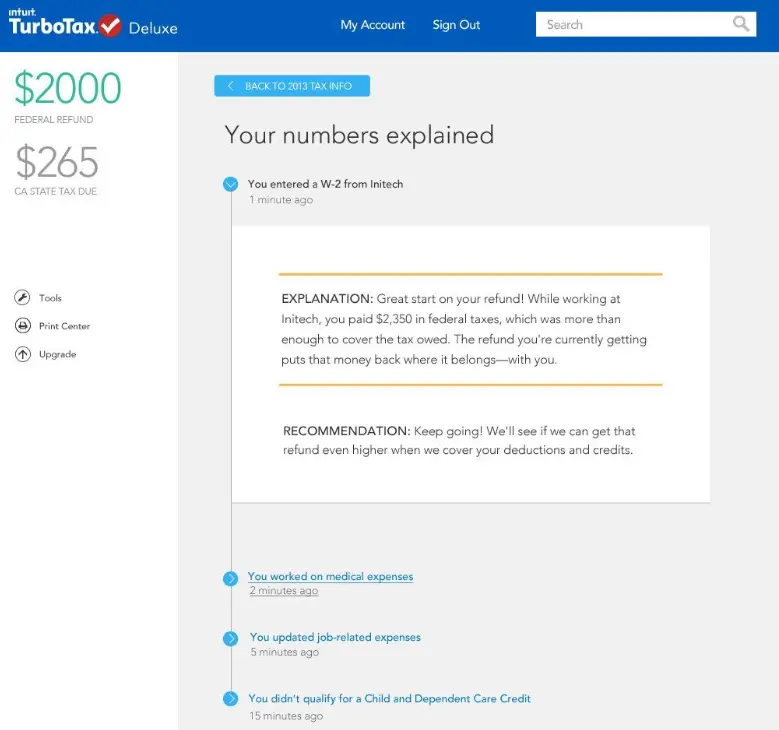
The user interface is clear enough for someone who wants to file personal and self-employment taxes. TurboTax can import information from the Intuit ecosystem and guide you through income, expenses and potential deductions.
Source: Forbes
Main trade-off: Pricing can increase quickly if your returns are complex. Sorting your self-employment income requires the Premium package; state filing, expert help and full-service preparation cost extra. TurboTax may also ask you to upgrade if you add additional schedules or types of income.
Price: DIY $0-$139, Expert Assist $59-$209 and Full Expert Service from $129.
Cash flow forecasting and reporting tools
Forecasting tools give your existing financial data superpowers. They can predict possible cash flow shortages, help you see the impact of your business decisions and produce management reports, but they won't work without clean books.
Fathom: best for deeper reporting and management analysis
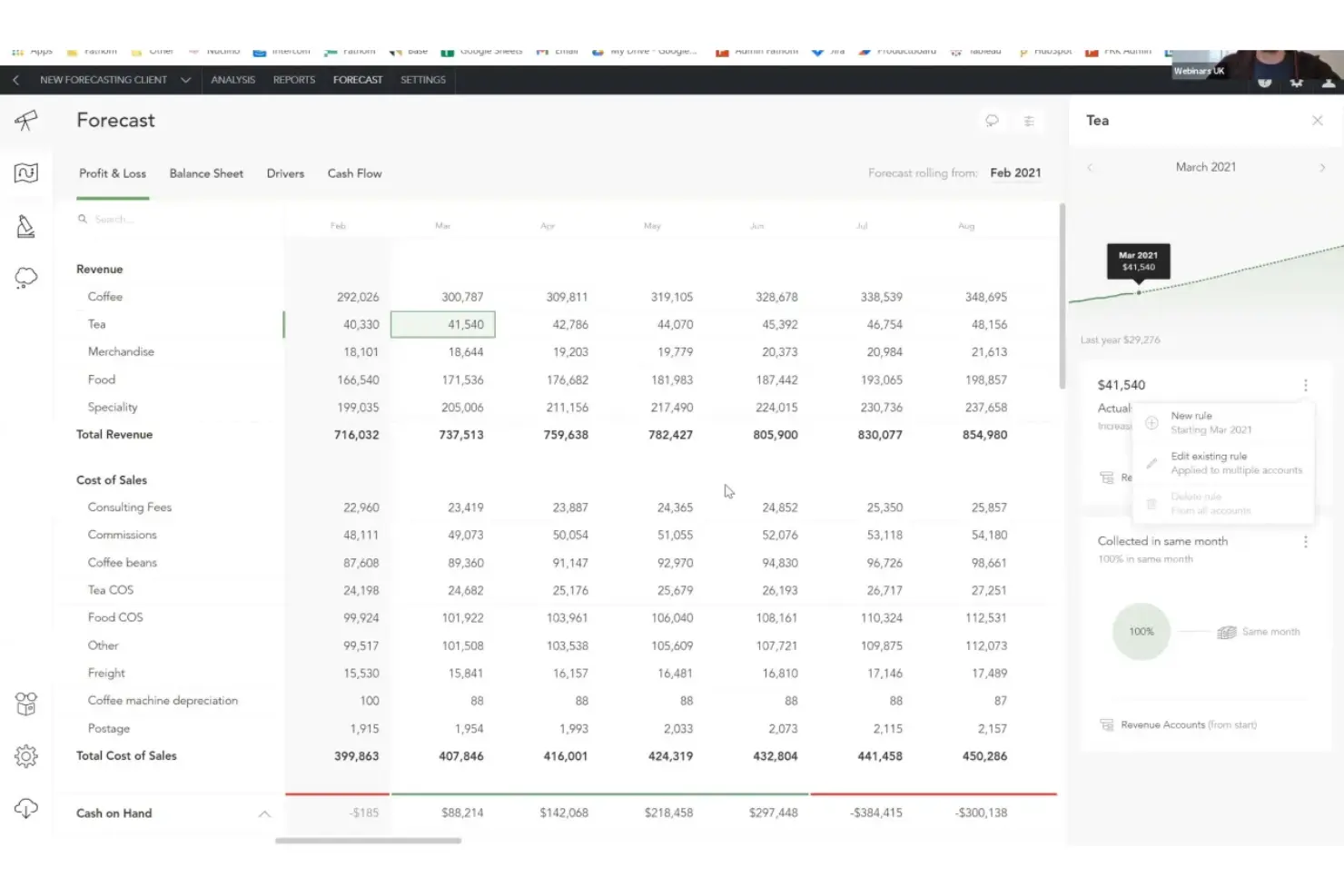
Fathom connects with QuickBooks, Xero, MYOB, Excel and Google Sheets. It turns existing bookkeeping and accounting data into management reports, KPI dashboards, consolidated reports and long-term cash flow forecasts.
Its three-way forecasting includes the profit and loss statement, balance sheet and cash flow forecast. You can create different scenarios, and compare actual performance with what you planned.
Source: The CFO Club
Main trade-off: Fathom’s forecasts work on monthly, quarterly or annual intervals, with no daily or weekly forecasting. This makes it better for management reporting and longer-term planning than immediate cash decisions. Pricing is based on the number of connected companies, so costs rise when you add entities.
Price: From $53/month and a 14-day free trial.
Float: best for detailed short-term forecasting with QuickBooks or Xero
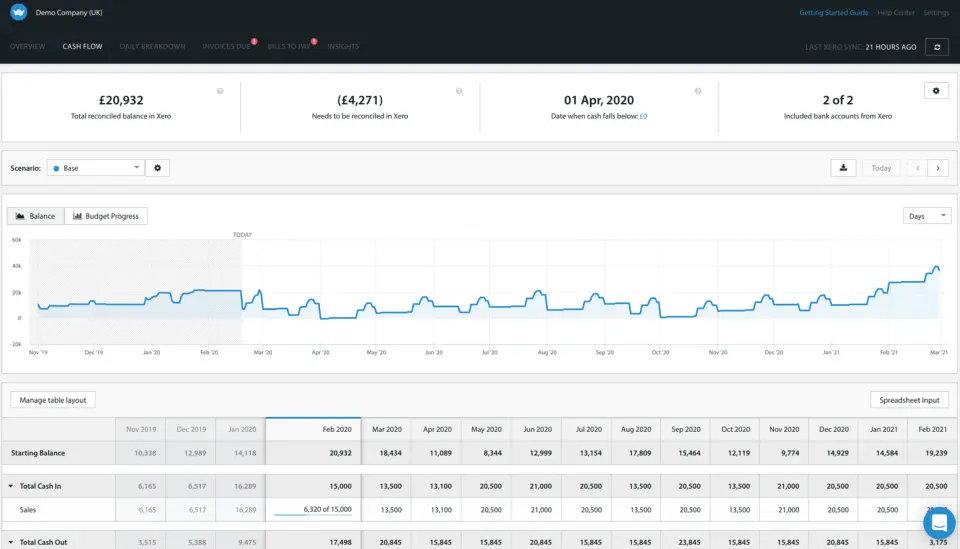
Float connects to QuickBooks Online and Xero to give you rolling cash flow forecasts with weekly, 13-week and monthly views based on your live transactions, invoices and bills.
You can model different scenarios, adjust expected payment dates and see how a new hire, delayed invoice or additional expense could affect the bank balance.
Source: Capterra
Main trade-off: Float currently integrates directly with QuickBooks Online and Xero only. Data syncs automatically every 24 hours, although you can trigger a manual update. The Essentials plan only gives you five scenarios and a 12-month forecast.
Price: From $8.50/month or $84/year.
Do you need more than one tool for the job?
As a self-employed professional, you'll probably be able to cover most of your financial needs with one bookkeeping or accounting platform and one tax-filing service.
The necessities include:
- Bank feeds and transaction categorization
- Expense tracking and reconciliation
- Income and invoice records
- Standard financial reports
- Secure access for a tax professional
- Easily exportable data
A specialist add-on makes sense when you'll use it often; e.g., someone who drives daily may add Everlance, or a consultant with a complex proposal and contract process may use HoneyBook.
Cashflowy can cover bookkeeping, standard reports, basic invoicing, AI summaries and explanations, a 90-day forecast and human support in one system for a U.S. solopreneur. You’ll still need a separate tax-filing service in most cases.
Tip: A separate business bank account makes any software easier to use. Personal and business transactions can still be separated inside these platforms, but running everything through one bank account creates more review work and increases expense miscategorization risk.
Choose the system that matches how you work
Most self-employed people need clear books before any advanced accounting infrastructure. Start with one platform that can track income, categorize expenses, reconcile accounts and produce reliable financial reports.
Cashflowy is the strongest fit for a U.S. one-person service business looking for automated bookkeeping, simple invoicing, understandable cash flow and unlimited human bookkeeper support. QuickBooks, Xero, FreshBooks and Zoho Books provide more room for operational complexity. Add mileage, time tracking or tax support tools if they support your daily needs. That keeps your financial setup useful without making managing it another job.
Frequently Asked Questions
Do I need bookkeeping software if I have a separate business bank account?
Can self-employed accounting software track income from multiple clients and 1099s?
Should a sole proprietor use cash or accrual accounting?
How often should a self-employed person reconcile their books?
Can I switch accounting software in the middle of a tax year?
Can bookkeeping software identify tax-deductible expenses automatically?
Keep reading

Accounting Software for Real Estate Agents: 9 Tools Compared
Compare 9 accounting software options for real estate agents. See how each handles commission splits, mileage, tax readiness and financial reporting.

Best Accounting Software for Freelancers in 2026: 7 Options Compared
Compare seven freelance accounting software options by expense tracking, invoicing, bank feeds, cash flow, tax readiness and key limitations.

QuickBooks for Real Estate Agents: What It Handles, What It Misses
See how QuickBooks for real estate agents handles commissions, expenses and taxes, which plan works for you and when you may need another tool entirely.