
Bookkeeping and accounting software
QuickBooks for Real Estate Agents: What It Handles, What It Misses

CEO · Jul 8, 2026
Heidi DeCoux is the founder of Cashflowy, an AI-powered bookkeeping platform, and has worked with thousands of self-employed professionals to simplify finances and improve profitability.

QuickBooks shows what your real estate business earned and spent. It doesn’t tell you how much of the money in your account is truly yours to keep and what you should have set aside for taxes.
And it's something you should know when you get your income in large, irregular commissions while marketing costs and taxes follow different schedules than your payments. Without a clear system, you can easily mistake cash on hand for spending money.
QuickBooks is usually the first bookkeeping tool real estate agents consider. It can track commission income, expenses and profit, but it only makes sense to pay for it if you choose the right version (and set it up correctly and manage it for you).
Even then, it doesn't turn your records into a safe owner’s pay and tax estimator, and it can make you overpay for tools you may not use.
This guide explains which QuickBooks version best fits real estate needs, how to set it up and when a different alternative may work better.
Can you use QuickBooks Online for real estate?
Short answer: yes. QuickBooks works for real estate agents, real estate investors, landlords and property managers, but it isn't built for any of them specifically. It's not accounting software for real estate agents specifically; rather, it's for general use, so you have to shape it yourself using a custom chart of accounts, custom fields, and class tracking.
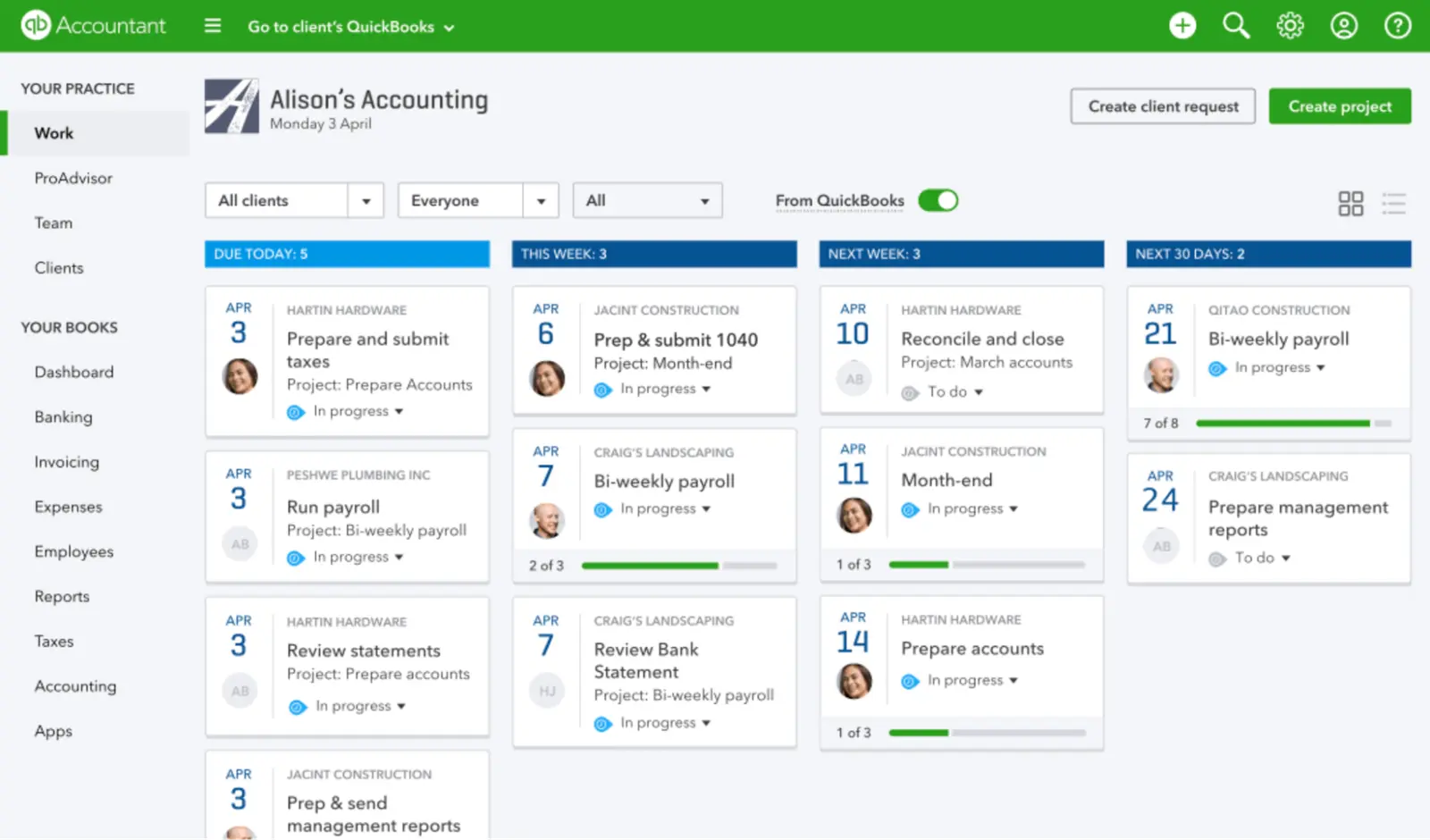
Source: Software Advice
Depending on whether you're a solo agent earning 1099 commission income or managing rental properties and needing to track rent collection, security deposits and mortgage payments per unit, you'll need a different QuickBooks subscription and setup.
This guide is for solo real estate agents who need help managing finances and handling tax preparation stress-free.
Which QuickBooks version should real estate agents choose?
QuickBooks Self-Employed is closed to new customers
Intuit closed QuickBooks Self-Employed to new signups. Existing subscribers can keep using it for now, but the product isn't being developed, and every new customer is routed to QuickBooks Solopreneur instead.
If you're migrating, remember that you'll need to export receipts and invoices and re-upload them manually.
QuickBooks Solopreneur as a real estate accounting software
The Solopreneur options come in four sizes: Free and Lite are for the basic needs of a one-person business; Simple Start includes more complex QuickBooks Online features.
| Plan | What it includes | Main limitations |
|---|---|---|
| Free | Two invoices and receipts, top reports, five trips, income and expense tracking, one contractor, payment acceptance | No Intuit Intelligence access or integrations and tight limits |
| Lite ($20/month) | Everything in Free, unlimited invoices and receipts, mobile app, automated bill pay, sales and tax, instant deposit, integrations, AI | Expert help and Intuit Intelligence paid extra |
| Simple Start ($38/month) | Everything in Lite, general reports, cash flow history, recurring payments, one sales channel, unlimited contractors, expense categorization and tax deduction help with Intuit Intelligence, chat for instant insights | 25 question limit for chat insights and no class tracking feature |
| Plus ($140/month) | Everything in Simple Start, reconciling books, P&L insights, reducing errors, automated sales tax, unlimited sales channels, project profitability, chat for instant insights, time tracking | Many features have little value for a solo agent; expensive |
Choose based on how much financial details you need. For most solo agents, the choice comes down to Lite or Simple Start. Plus is harder to justify unless you need multiple users, project profitability or more advanced reporting.
Whichever plan you choose, QuickBooks still needs to be configured for commission income; it won’t automatically know how to separate gross commission from brokerage splits, transaction fees and other deductions.
What if your real estate business also includes multiple property management
If you're managing multiple properties as part of the same business, QuickBooks Online Plus or Advanced lets you create a class for each property, and assign rental income and expenses to the appropriate one. You can then track each property's performance to compare income, operating expenses and net profit.
Mortgage payments require additional setup. Record the interest portion as an expense, while the principal reduces the mortgage liability and doesn’t appear as an expense on the profit and loss report. Record refundable security deposits as liabilities rather than rental income.
Real estate investors and property managers with larger portfolios usually integrate QuickBooks with a dedicated platform for rental property management tasks. Alternatively, you can use software with built-in tools for rent collection, leases, tenant records, maintenance and security deposits.
How to set up QuickBooks for a real estate professional
Customize the chart of accounts
If you're on Simple Start or higher, you can create separate income accounts for buyer-side commissions, seller-side commissions, referral fees and bonuses if you want them reported separately.
Set up expense accounts for brokerage and transaction fees, MLS and professional dues, licensing, lead generation, software, photography, staging and continuing education.
Set QuickBooks reports to the accounting method used on your tax return. Individuals and small businesses usually use cash accounting, which records income when received and expenses when paid. Use the method consistently and confirm the choice with your tax professional.
Record commissions to match your documents
Reconcile each deposit with the commission disbursement statement and Form 1099-NEC.
If the 1099-NEC reports a $12,000 commission and the brokerage deposits $8,400 after retaining a $3,600 split, record $12,000 as income and $3,600 as a brokerage expense. If the 1099-NEC reports the net amount, don’t deduct the split again.
Keep the commission statement for every closing.
Track mileage as you go
Record the date, destination, business purpose and mileage for every qualifying business trip.
For 2026, the business standard mileage rate is 72.5 cents per mile for January 1 through June 30 and 76 cents per mile from July 1 through December 31. Apply the rate based on the trip date.
Set aside money for taxes
Brokerages generally don’t withhold federal taxes from independent contractor commissions. You may owe income tax and self-employment tax, in which case you'll need to make estimated payments using Form 1040-ES.
The self-employment tax calculation generally applies the combined 15.3% rate to 92.35% of net profit, subject to the Social Security wage limit and other rules.
QuickBooks gives you a rough estimate of federal income and self-employment tax. It doesn’t include state taxes, tax credits or many complex tax situations, and it doesn’t set aside tax money for you. Confirm the amount with a tax professional and move the set-aside into a separate account.
Separate business and personal transactions
Use a dedicated business checking account and card to simplify transaction imports, reconciliation and record-keeping.
If you pay a business expense from a personal account, keep the receipt and record the transaction. Mixing accounts doesn’t automatically invalidate an expense, but it makes documentation and reconciliation more difficult.
Where QuickBooks stops short for a solo agent
QuickBooks limitations for solo real estate agents are primarily in setup, cash planning and ongoing financial guidance:
- It records owner’s pay but does not calculate a safe amount. QuickBooks can track an owner’s draw and report profit and cash flow. It doesn't calculate how much you can safely pay yourself after estimated taxes, upcoming expenses and a minimum cash reserve.
- Tax estimates do not create a tax reserve. QuickBooks can estimate federal quarterly taxes, but the calculation excludes state income tax and several other tax items. Setting the money aside is still your job.
- The real estate setup isn't out of the box. Commission income, brokerage splits and agent-specific expenses must be mapped to the correct accounts. Tracking by property, market or business line also requires the appropriate plan and consistent use of classes or locations.
- Customer support is not ongoing. QuickBooks includes product support and offers guided setup, but monthly reconciliation, cleanup and bookkeeping require a paid service or an outside accountant or bookkeeper.
Other financial tools for real estate professionals
QuickBooks isn't the only way to manage a real estate business. You have plenty of QuickBooks alternatives to choose from, depending on your main needs.
| Tool | What it does |
|---|---|
| Cashflowy | AI bookkeeping built for U.S. real estate agents, with a live dashboard, expense categorization, an owner's pay number, an estimated tax set-aside, an AI financial coach, and real human bookkeepers in one price |
| Realtyzam | Agent-specific accounting software for tracking expenses and generating reports for quarterly and annual tax preparation |
| AgentXpense | Tracks commissions, brokerage splits, deals and real estate-specific expenses |
| FreshBooks | Small-business accounting software centered on invoicing, client payments, time tracking and expenses |
| Xero | Double-entry accounting with bank reconciliation, reporting and unlimited users at no extra cost on every U.S. business plan |
| Wave | A free Starter plan for basic accounting and invoicing, with bank imports, receipt scanning and automatic categorization available through Pro |
| Buildium | Property management software covering accounting, rent collection, leasing, maintenance and resident and owner portals |
Cashflowy: financial clarity for real estate professionals
Most alternatives above either adapt general accounting software to real estate or focus on one part of the job. Cashflowy is built around how U.S. real estate solo businesses earn, spend and manage income, replacing the need for QuickBooks for real estate agents working in a one-person business structure.
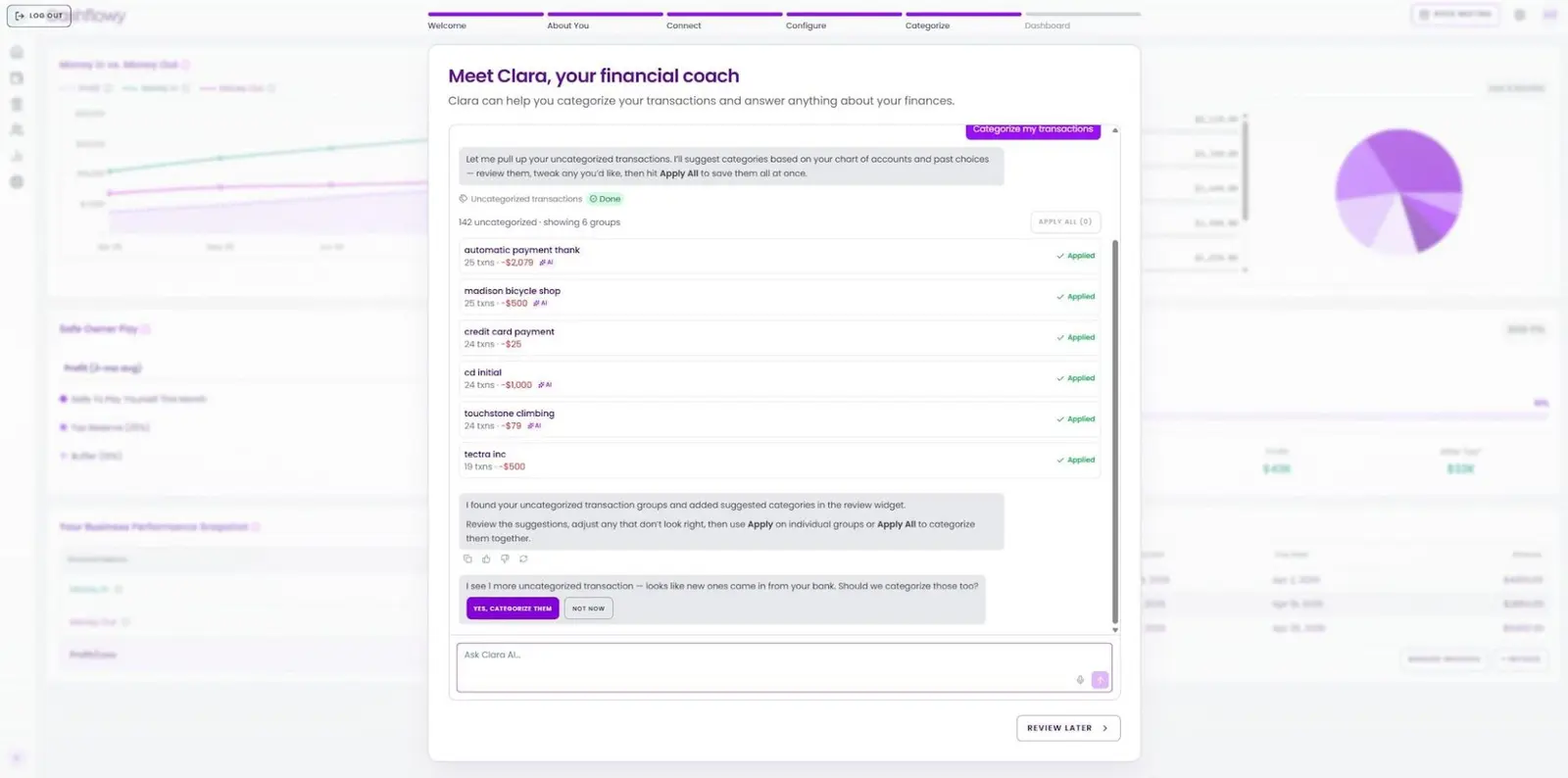
- Start with an intuitive setup. Connect your accounts in two minutes and let Cashflowy import and categorize transactions using categories that reflect common real estate expenses. Your dashboard and financial reports update as new activity is registered, without requiring you to build a chart of accounts from scratch.
- Turn current books into a suggested owner’s pay. Cashflowy uses your average revenue and expenses from the previous three months, then accounts for the tax and cash-buffer percentages you set. It also shows what has accumulated in your tax bucket and projects revenue and expenses 90 days ahead based on current patterns.
- Ask questions about your actual numbers. Ask Cashflowy answers from your own account data. Available 24/7, it can explain spending, revenue, profit, outstanding invoices and suggested owner’s pay in plain English. Questions outside its scope are directed to a human bookkeeper.
- Get human bookkeeping help without extra fees. Trained bookkeepers are available through live chat and unlimited scheduled calls anytime you need them.
One of our clients organized two years of transactions in seconds. They spent almost a decade using QuickBooks Self-Employed and still had to review transactions manually because they couldn't be confident whether the categories were right. After connecting Cashflowy, 524 transactions got correctly organized in seconds. They also gained real estate-specific expense categories and a human bookkeeper to check anything the AI couldn’t resolve. After nearly a decade of second-guessing books, they described the difference as “simplicity + efficiency.”
Start your free trial. 30-day money-back guarantee, cancel anytime.
How to switch from QuickBooks without losing your records
Cashflowy can replace QuickBooks for ongoing bookkeeping for solopreneurs, but your old QuickBooks file doesn’t transfer as a complete accounting history. Preserve that history first, then begin the new system from a clear cutover date.
- Finish the current period in QuickBooks. Categorize outstanding transactions and reconcile each account through a specific date, ideally the end of a month.
- Export your financial records. QuickBooks Online users can export reports and lists of all relevant years. Keep copies of your profit and loss statements, balance sheets, general ledger or transaction detail and tax reports. QuickBooks Self-Employed users can export transactions and reports by tax year.
- Download receipts and mileage separately. Receipt attachments aren’t included in a standard transaction export. QuickBooks Online lets you export attachments in bulk; you can download mileage trips as a CSV. Keep these files as supporting records for the tax deductions your real estate business is eligible for.
- Store the archive outside QuickBooks. Save the exports somewhere secure that you’ll still be able to access after canceling the subscription. Keep them for as long as your tax professional recommends.
- Connect your accounts to Cashflowy. Cashflowy retrieves and categorizes your transaction history through Plaid. One of our bookkeepers can help you check for gaps or duplicates.
Cancel QuickBooks only after you’ve reviewed the exports and confirmed your new books start where the old ones end.
Your next closing is coming. Know what you keep from it.
QuickBooks can keep your books accurate. With the right setup, it can show gross commissions, brokerage splits, business expenses, mileage, profit and cash flow. But do you know your estimated tax set-aside, cash buffer, and how much you can pay yourself to make it to the next commission?
Cashflowy is built around that question for solo U.S. real estate professionals. It keeps your books current, suggests an owner’s pay amount, tracks your estimated tax set-aside, and projects current revenue and expense patterns 90 days ahead. She can explain what changed, and trained human bookkeepers are available when you need expert review.
Start your free trial and see how easy it is to make better, data-driven business decisions without worrying about your finances.
Frequently Asked Questions
Which QuickBooks plan is best for a real estate agent?
Is QuickBooks Self-Employed still available for new users?
How do you record a commission split in QuickBooks?
How much does QuickBooks cost for a real estate agent?
What is the best QuickBooks alternative for a solo real estate agent?
Keep reading

Accounting Software for Real Estate Agents: 9 Tools Compared
Compare 9 accounting software options for real estate agents. See how each handles commission splits, mileage, tax readiness and financial reporting.

Best Accounting Software for Freelancers in 2026: 7 Options Compared
Compare seven freelance accounting software options by expense tracking, invoicing, bank feeds, cash flow, tax readiness and key limitations.

Most Practical Self-Employed Accounting Software, Bookkeeping and Finance Tools
Compare the best accounting software and bookkeeping tools for the self-employed. See features, limitations, and which option fits your business.