> ## Documentation Index
> Fetch the complete documentation index at: https://cashflowy.ai/docs/llms.txt
> Use this file to discover all available pages before exploring further.
# Transaction Receipts
> Attach receipt photos and documents to your transactions for record-keeping.
Keep your records organized by attaching receipts directly to transactions. Great for expense tracking, tax prep, and audit trails.
## How to attach a receipt
Go to **Banking** → **Transactions** and click on a transaction.
On the transaction row, click the **+** icon in the **Notes** column, or open the three-dot menu and select **Notes & Attachments**. The Transaction Receipts modal opens.
 Drag and drop your file into the upload area, or click **browse** to select it. Supported formats: JPEG, PNG, WebP, HEIC, PDF — max 10 MB each, up to 10 attachments per transaction. You can also add an optional note (up to 5,000 characters).
Click **Upload** to save.\\
Drag and drop your file into the upload area, or click **browse** to select it. Supported formats: JPEG, PNG, WebP, HEIC, PDF — max 10 MB each, up to 10 attachments per transaction. You can also add an optional note (up to 5,000 characters).
Click **Upload** to save.\\
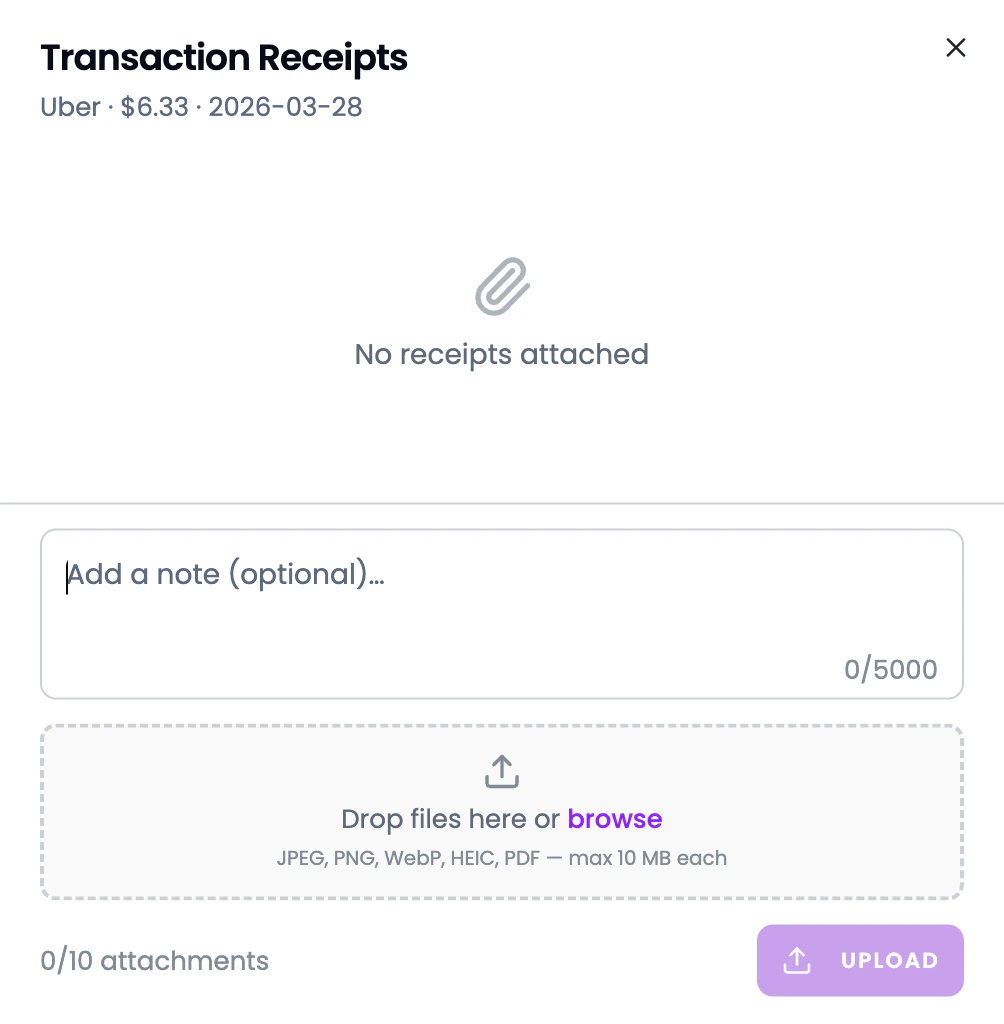 The receipt is attached to the transaction. You can view or remove it anytime.
## Why attach receipts?
* **Tax preparation** — your accountant can see exactly what each expense was for
* **Audit trail** — proof of purchase stored alongside the transaction
* **Organized records** — no more digging through email or shoeboxes for receipts
Get in the habit of snapping a photo of receipts and uploading them on the spot. Future-you will thank you at tax time.
The receipt is attached to the transaction. You can view or remove it anytime.
## Why attach receipts?
* **Tax preparation** — your accountant can see exactly what each expense was for
* **Audit trail** — proof of purchase stored alongside the transaction
* **Organized records** — no more digging through email or shoeboxes for receipts
Get in the habit of snapping a photo of receipts and uploading them on the spot. Future-you will thank you at tax time.